
China Top 10 Mobile Workstation Manufacturers in 2026
A Mobile Workstation must do more than look powerful on a specification sheet. It needs dependable performance in CAD, 3D rendering, simulation, and other demanding professional workloads. Buyers also care about cooling, keyboard comfort, service coverage, and the weight of a machine carried between job sites. Small details matter: a fan that stays quiet during a client meeting, or a port that connects directly to a studio display.
Market figures provide useful context, but they need careful interpretation. IDC’s Worldwide Quarterly Personal Computing Device Tracker recorded 262.7 million traditional PC shipments worldwide in 2024, a 1.0% increase from 2023. That figure covers the broader PC market, not mobile workstations alone. The distinction matters. For performance comparisons, SPEC’s SPECworkstation 4.0 and SPECviewperf 2020 provide workload-based benchmarks for professional applications and graphics. Results still depend on the tested configuration, drivers, and cooling. Numbers need context.
This guide examines ten China-based manufacturers and suppliers in 2026, considering product focus, technical capability, customization, and support evidence. It does not treat every brand as equally transparent; published workstation-specific data can be uneven. That is worth reflecting on. A model’s label is not proof of long-term reliability. Readers should verify current configurations, warranty terms, and benchmark results before making a purchase.
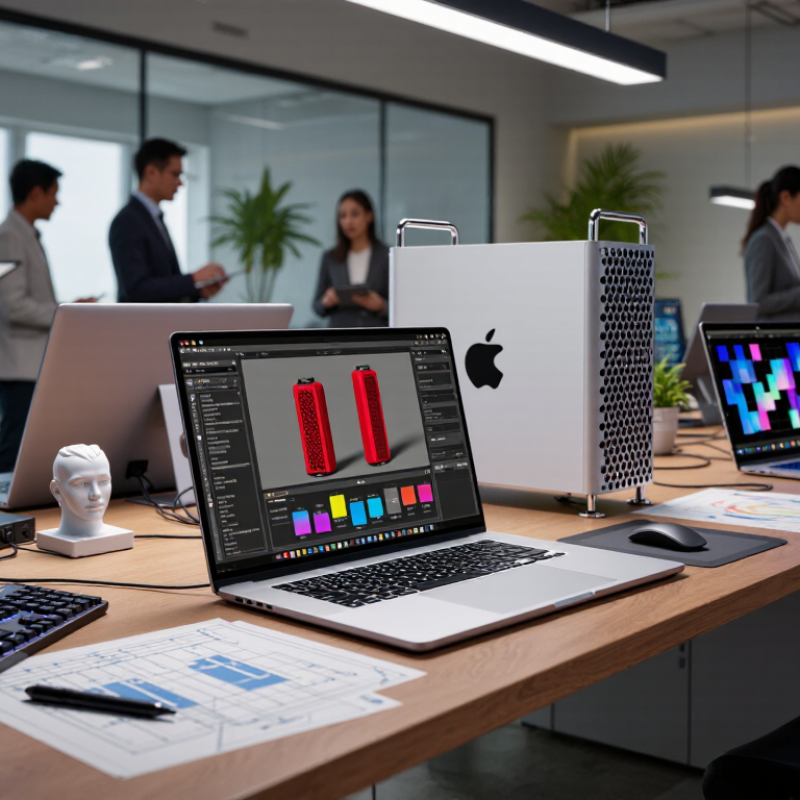
Definition and Core Features of Mobile Workstations
A mobile workstation is a portable computer built for demanding professional workloads, such as 3D modeling, engineering simulations, video editing, and large datasets. It pairs a high-performance processor with a dedicated graphics processor, ample memory, and fast solid-state storage. The goal is steady performance when complex files are open, not merely quick startup. That distinction matters on a project site, where a detailed model may need to be reviewed beside a machine.
Look closely at the display, cooling system, ports, and upgrade options. A color-accurate screen helps with visual work; USB-C, HDMI, and wired network connections can simplify setup with external equipment. Thermal design matters, too. Good cooling. Under sustained load, weak airflow can cause performance to drop or fan noise to rise. Many systems offer validated drivers for professional applications, but compatibility should be checked against the software and workload in use. Battery life is often shorter during intensive tasks, and workstation labels can be applied loosely. Needs differ. Compare measured performance, memory capacity, repairability, and weight rather than relying on a category name alone.
China Top 10 Mobile Workstation Manufacturers in 2026 - Definition and Core Features of Mobile Workstations
A mobile workstation is a portable computer designed for demanding professional workloads such as computer-aided design, 3D modeling, engineering simulation, and media production. The table below summarizes ten common evaluation dimensions; it is a feature guide, not a manufacturer ranking.
| No. | Evaluation Dimension | Typical Characteristics | Why It Matters |
|---|---|---|---|
| 1 | Processor | Multi-core mobile processors, often with performance-focused power and cooling profiles. Exact core counts and power limits vary by generation and model. | Supports compiling, rendering, simulation, and other CPU-intensive professional tasks. |
| 2 | Professional Graphics | Discrete graphics options may include workstation-oriented GPUs with application drivers; some configurations use integrated graphics or general-purpose discrete GPUs. | Accelerates 3D viewports, visualization, GPU computing, and supported creative workflows. |
| 3 | System Memory | Configurations commonly start at 16 GB and may scale to 32 GB, 64 GB, or more, depending on the system’s memory slots and supported capacity. | Higher capacity helps with large assemblies, complex datasets, virtual machines, and multitasking. |
| 4 | Error-Correcting Memory | ECC memory is available on selected systems and supported processor platforms; it is not a feature of every mobile workstation. | ECC can detect and correct certain memory errors, which may be valuable for specialized reliability-sensitive workloads. |
| 5 | Storage | Solid-state storage is standard in current designs. Capacity, number of drive slots, and support for RAID vary by model. | Fast storage improves application loading and file access; additional capacity is useful for large project assets. |
| 6 | Display | Screen sizes are commonly in the 14–17-inch range, with resolution, brightness, color coverage, refresh rate, and touch support varying by configuration. | Display quality affects detail visibility, color-sensitive work, and usability in different lighting conditions. |
| 7 | Professional Software Support | Some configurations are tested or certified for specific professional applications. Certification depends on the exact hardware, driver, and software combination. | Application testing can help provide predictable compatibility and support for designated professional workflows. |
| 8 | Connectivity | Common options include USB-A, USB-C, display outputs, audio, and wireless networking. Port selection and capabilities differ by system. | Suitable ports simplify connection to external displays, storage, docks, networks, and other work equipment. |
| 9 | Thermal Design | Cooling systems use fans, heat pipes or vapor chambers, and model-specific power management to handle sustained workloads. | Cooling capacity influences sustained performance, fan noise, and operating temperatures under heavy loads. |
| 10 | Portability and Power | Weight, battery capacity, adapter size, and battery life vary considerably. High-performance workloads generally use more power than light office tasks. | These factors help determine whether a system suits frequent travel, mobile field work, or primarily desk-based use. |
Specifications are configuration-dependent. Confirm the processor, graphics, memory, display, ports, certification status, warranty, and local availability for the exact model before purchase.


