
7 Tips for Choosing a Level 3 DC Fast Charging Station
Choosing a Level 3 DC fast charging station involves more than comparing peak charging speeds. The right choice depends on who will use it, where it will be installed, and how often vehicles need to charge. A station beside a busy highway may need different features from one serving a workplace or fleet. Vehicle compatibility matters, too. Charging speed can vary with the vehicle’s limits, battery temperature, and state of charge, so the highest advertised output does not guarantee the fastest session. Small details count. A cable that reaches a parking space comfortably can make daily use easier.
This guide explores seven practical considerations, including power output, connector options, installation requirements, software, reliability, support, and total ownership costs. Look beyond the product sheet: ask how the station handles faults, whether usage data is accessible, and who responds when service is needed. A clear warranty and reachable support team may matter more than a feature rarely used. Site conditions can also complicate a seemingly simple purchase. No checklist removes every surprise; actual traffic and installation needs may differ from early estimates. That is worth questioning. Use these tips to compare options carefully, confirm details with qualified installers, and choose equipment that fits real charging needs rather than brochure promises.
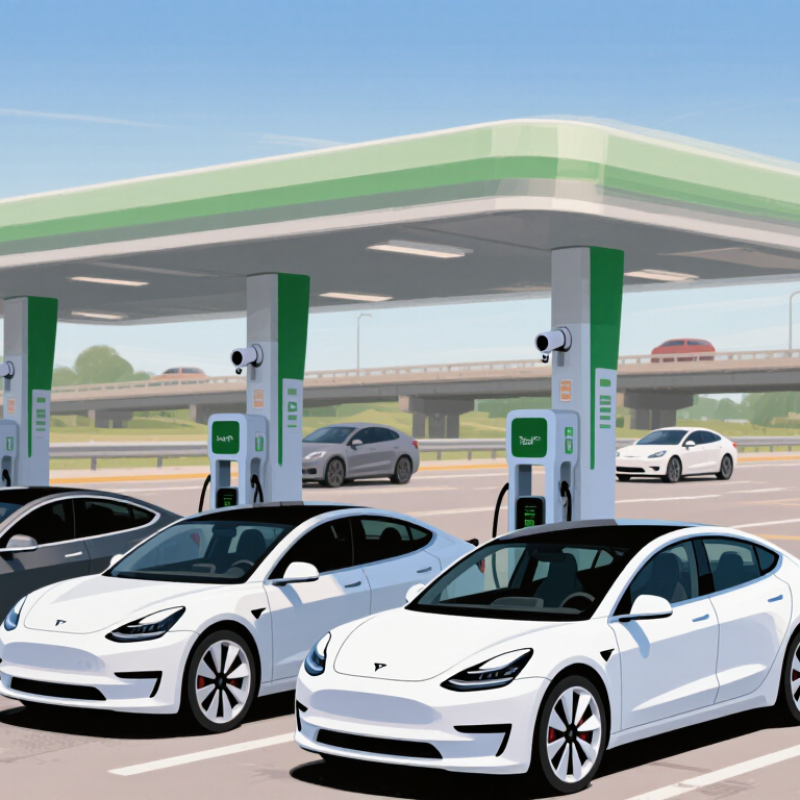
Assess Your Vehicle’s Charging Needs and Daily Usage
Before selecting a Level 3 DC fast charging station, check what your vehicle can actually accept. The owner’s manual or vehicle display may list its maximum DC charging rate and connector type. A station’s advertised power is not a promise that your car will charge at that speed. Battery temperature, state of charge, and the vehicle’s charging curve can all affect the session. Start there.
Then look at your typical week, not just your longest trip. Note your daily distance, where the car sits for several hours, and how often you need a quick recharge. If your commute uses little battery and you can charge overnight, maximum fast-charging power may matter less than convenient access. For a high-mileage driver with short stops, charging speed and reliable station availability may carry more weight.
Be specific. A 30-minute lunch stop is different from a two-hour evening errand. Estimate how much energy you usually need, but leave room for cold weather, detours, and unexpected trips. My first estimate may still be off; real driving habits are messy. Track a few weeks of use, then compare that record with your vehicle’s guidance and typical charging stops.
7 Tips for Choosing a Level 3 DC Fast Charging Station — Assess Your Vehicle’s Charging Needs and Daily Usage
| What to Assess | How to Evaluate It | Practical Example | What It Means for Station Choice |
|---|---|---|---|
| 1. Daily driving distance | Estimate your typical daily miles, then use your vehicle’s efficiency to estimate energy use. Actual efficiency varies with speed, weather, terrain, and heating or cooling. | At 3.5 miles per kWh, driving 40–80 miles uses roughly 11–23 kWh before charging losses. | Frequent long days may make convenient access to a fast charger more valuable; short commutes may not require frequent DC fast charging. |
| 2. Battery capacity and usable range | Check the vehicle’s usable battery capacity and estimated range in its owner’s manual or vehicle information display. | A vehicle with a larger battery generally needs more energy for the same percentage increase in charge than one with a smaller battery. | Consider how much energy you usually need to add, rather than choosing a station based only on its maximum advertised power. |
| 3. Vehicle’s maximum DC charging rate | Find the vehicle’s maximum DC charging power in its specifications. The vehicle, not just the station, sets the maximum rate it can accept. | If a vehicle can accept up to 100 kW, a 150 kW station will not make it charge at 150 kW. | A station rated at or above your vehicle’s limit may be suitable, but a higher rating does not guarantee a faster session. |
| 4. Charging time you can allow | Decide whether you need a brief top-up during errands or a longer recharge during a trip. Charging speed changes during a session and is usually lower as the battery approaches full. | Charging from a low state of charge to around 80% is commonly faster than continuing from 80% toward full, though the curve varies by vehicle. | Choose a location and station power that fit your stop; do not assume the peak rate will be sustained for the entire session. |
| 5. Typical state of charge on arrival | Consider how much charge you usually have when you plug in. DC fast charging is generally quicker at lower states of charge and slows as the battery fills. | A driver arriving with 20% charge may spend less time adding a given amount of energy than a driver who starts near 80%. | For predictable short stops, plan around the energy needed for the next leg rather than routinely charging to 100%. |
| 6. Connector compatibility | Confirm that the station’s plug is compatible with your vehicle or an approved adapter. DC connector standards differ by region and vehicle. | Common standards include CCS1 and NACS in North America, and CCS2 in many other regions; availability depends on location and vehicle. | Verify compatibility before relying on a station, including any adapter requirements and the vehicle maker’s guidance. |
| 7. Charging routine and access | Map where you can charge at home, at work, and along regular routes. Level 3 DC fast charging is often most useful for travel or when slower charging is unavailable or insufficient. | A driver with reliable overnight charging may need public DC fast charging mainly for occasional long trips; a driver without regular home charging may depend on public charging more often. | Prioritize locations that fit your routine, and check operating hours, payment options, access, and live availability before visiting. |
Note: Level 3 DC fast charging is a common term for high-power direct-current charging. Actual charging power and session time depend on the vehicle, battery temperature, state of charge, station output, and other conditions.


