
7 Tips for Choosing the Best Fiber Disc
A Fiber Disc may look like a simple abrasive, but its performance depends on several choices working together. The workpiece, grinding pressure, tool speed, and finish target all matter. A disc that cuts quickly on welds may leave an unnecessarily rough surface on thin sheet metal. Small mismatches can waste discs, slow production, or mark the work.
Grinding specialist Dr. Jeffrey Badger’s work points to a useful shop-floor rule, paraphrased here: “Match the abrasive to the material and the task.” That sounds obvious. It is easy to overlook when a familiar grit seems to work well enough. Choosing well means checking abrasive grain, grit size, disc diameter, backing strength, and the grinder’s speed rating. It also means considering how the disc feels in use: Does it stay flat on a weld? Does it load with dust? Does heat build near an edge? These details can reveal more than a product label alone.
This guide explores seven practical tips for choosing a Fiber Disc, from selecting the right grain to judging durability and finish quality. It also considers tool compatibility and safe handling, because a disc’s rated speed and condition matter on every job. No single option is best for every workshop. Sometimes the first choice is wrong. A brief test on scrap material can expose that before the disc reaches the finished part.
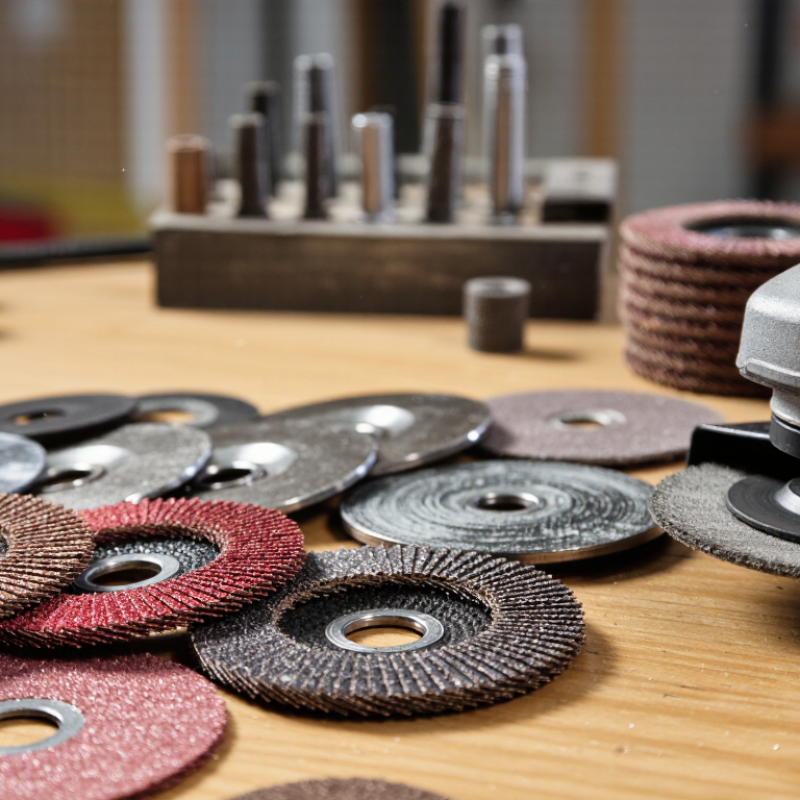
Define the Workpiece, Removal Goal, and Required Disc Diameter
A fiber disc should match the material, the amount of stock to remove, and the grinder’s backing pad. Start with the workpiece: mild steel, stainless steel, and aluminum respond differently to abrasive pressure and heat. Aluminum can load a disc quickly, while stainless steel may discolor if it gets too hot. Check the part’s condition, too. A rough weld needs more aggressive cutting than a lightly scratched panel.
Tip: Define the removal goal before choosing grit. For weld leveling or heavy scale, a coarser grit can remove material faster, but it also leaves deeper marks. For blending or surface preparation, a finer grit gives more control. Test on a small area when the finish matters. It may take a little trial and error.
Measure the backing pad and confirm the required disc diameter before ordering or fitting a disc. A disc that is too large can overhang the pad; one that is too small may leave areas untouched. Match the center hole and attachment method as well. Check the grinder’s rated speed against the disc’s rating, and inspect both parts for damage. Small details matter. Even experienced operators can overlook fit when they focus only on grit.
Compare Aluminum-Oxide, Zirconia-Alumina, and Ceramic Grains
Choosing a fiber disc starts with the grain, because each abrasive responds differently to heat and pressure. Aluminum-oxide grains are a practical choice for mild steel, general grinding, and occasional cleanup. They wear gradually and often cost less, though cutting can slow as their edges dull. Good for routine work.
Zirconia-alumina grains tend to perform better when firm pressure is available. On weld seams or thick steel, they fracture to expose fresh cutting edges, helping maintain material removal over repeated passes. With light pressure, however, they may feel less lively than expected. That difference matters. Ceramic grains are designed for demanding stock removal and can stay sharp through controlled micro-fracturing. They often suit stainless steel and hardened metals, but need suitable pressure and a compatible machine setup.
Compare more than the grain label: check the workpiece, disc diameter, grinder speed rating, and desired finish. A coarse ceramic disc may remove stock quickly but leave scratches that need another pass. Try one disc on a small area and note heat, vibration, and cutting speed. A useful rule can still mislead: operator pressure may change results more than expected.
| Tip | What to Consider | Aluminum-Oxide Grain | Zirconia-Alumina Grain | Ceramic Alumina Grain | Practical Selection Guidance |
|---|---|---|---|---|---|
| 1 | Match the grain to the workpiece | A versatile, general-purpose abrasive commonly used on carbon steel, wood, and other materials. | Well suited to many ferrous metals, including stainless steel, especially in more demanding grinding. | Often selected for stainless steel and heat-resistant alloys in production or other demanding applications. | Check that the disc is rated for the material. For stainless steel, use a disc specifically identified as suitable for stainless to help avoid contamination from unwanted materials. |
| 2 | Estimate material-removal needs | A practical choice for general grinding and moderate material removal. | Designed for sustained cutting under suitable pressure and is commonly used for medium-to-heavy stock removal. | Can provide high stock removal in demanding applications when used with the appropriate tool, pressure, and disc construction. | For light cleanup, prioritize control and finish. For heavy weld removal, compare the disc’s intended duty and test removal rate on the actual workpiece. |
| 3 | Consider service life and cost | Often an economical option for routine work, though it may need changing more frequently in demanding grinding. | May offer longer useful life than conventional aluminum oxide in suitable high-pressure metal applications. | Often costs more, but can provide longer life and productivity in demanding applications when conditions are appropriate. | Compare total cost per finished part or per unit of material removed—not just the price of one disc. Results depend on the workpiece, pressure, tool, and disc design. |
| 4 | Choose a grit for the required finish | Available in coarse grits for faster stock removal and finer grits for surface refinement. | Available across a range of grits; coarse grades are commonly used for grinding and weld removal. | Available in different grit sizes for applications ranging from aggressive grinding to surface preparation. | Coarser grit generally removes material faster and leaves a rougher profile; finer grit generally removes less per pass and produces a finer finish. Follow the finishing specification. |
| 5 | Account for pressure and grinding technique | Works across a broad range of routine tasks and is useful where moderate pressure is preferred. | Typically benefits from firm, consistent pressure to maintain effective cutting. | Often performs best with controlled, firm pressure; excessive pressure can increase heat and wear. | Use the pressure recommended by the disc and tool manufacturers. Avoid lingering in one spot, and keep the disc moving to help limit heat buildup. |
| 6 | Check backing, bond, and disc construction | Grain type alone does not determine performance; backing stiffness and resin bond affect durability and feel. | Available in different constructions for varied grinding demands and workpiece contours. | Performance also depends on the grain blend, coating, bond, and backing—not grain name alone. | Choose a backing and construction suited to the task: a stiffer disc can support aggressive grinding, while a more flexible construction can follow contours. Confirm compatibility with the backing pad. |
| 7 | Verify tool, speed, and safety requirements | All grain types require a disc that matches the tool, mounting system, workpiece, and operating conditions. | Check disc diameter, arbor or mounting style, and maximum operating speed against the tool. Never exceed the disc’s rated speed; use the required guard and appropriate eye, face, and respiratory protection. | ||
Note: Performance varies with the specific disc construction, grit, workpiece, tool, and grinding technique. Use product specifications and a practical trial to confirm the best choice for your application.
Select FEPA P-Grades (P12–P2500) Using ISO 6344
7 Tips for Choosing the Best Fiber Disc
FEPA P-grades, defined through the ISO 6344 series, describe abrasive grain sizes. P12 is very coarse; P2500 is extremely fine. A lower P-number generally means larger grains, while a higher number indicates finer grains. Check the marking on the disc rather than relying on color or appearance. The numbering is useful, but it does not tell you everything.
Match the grade to the job. Coarse grades can remove welds and heavy material quickly, but may leave deep scratches. Medium grades help refine the surface, while fine grades are better for blending and finishing. Small steps matter. Moving through suitable grades can reduce visible scratch patterns, especially on metal panels. Still, the best sequence depends on the material and the finish you need.
P-grade alone does not predict cutting speed or disc life. Backing, abrasive type, machine speed, and pressure also affect results. Use a light, steady touch and test the disc on an inconspicuous area first. If scratches remain after changing grades, pause and check your technique; pressing harder may make the surface worse. I sometimes find the chosen grade is too aggressive, even when the chart suggests otherwise. That is a useful reminder: inspect the work often, and adjust based on what the surface actually shows.
Match Disc Backing and Attachment to the Sander
A fiber disc needs the right backing pad and a spindle attachment designed for that disc. On an angle grinder, the disc usually sits on a compatible support pad and is secured with the specified locking nut. Check the disc diameter, center hole, pad size, and spindle thread against the tool manual. Hook-and-loop and pressure-sensitive adhesive fittings belong to compatible systems; they are not substitutes for a fiber-disc backing pad. Fit matters. A loose center or undersized pad can cause wobble, uneven wear, or damage.
FEPA’s safety recommendations for coated abrasives stress observing the product’s marked maximum operating speed. The numbers matter: a 125 mm disc at 12,000 rpm has a rim speed of about 78.5 m/s, calculated from its diameter and rotation rate. Treat this as a check, not a universal safe limit; the disc label and tool rating govern. Use the correct attachment hardware, inspect the pad for cracks or distortion, and never improvise a fit. A quick dry fit can still mislead, so verify the arbor and speed ratings before powering up. I would double-check even when the parts appear to match.
Check the Disc’s Rated RPM and Manufacturer Safety Instructions
Before fitting a fiber disc, compare its rated revolutions per minute with the grinder’s maximum speed. The tool must not run faster than the disc’s marked limit. Check the label on the disc itself; packaging can get separated in a busy workshop. Small details matter. If the marking is unreadable, do not guess. Set the grinder aside until you can confirm the rating from reliable product information.
Read the manufacturer’s instructions for both the disc and the grinder. They explain which backing pad and attachment method are compatible, and whether a guard or specific operating angle is required. Follow the stated procedure, rather than relying on how a similar setup felt last time.
I have seen people overlook a worn pad because the disc still looked usable. That is an easy assumption to make, and not a sound one. Inspect the disc for cracks, tears, or uneven wear, then secure it as directed.
Wear suitable eye and face protection, and keep pressure steady; forcing the tool can increase heat and wear. If anything vibrates unusually, stop and check the setup before continuing.


