
What Are the Top 10 Winfort Commercial Smart Locks?
Commercial access is changing quickly. Keys still disappear, get copied, or remain in former employees’ drawers. Winfort commercial smart locks aim to replace that uncertainty with digital credentials, remote administration, audit trails, and flexible access schedules. The practical question is not whether a lock looks modern. It is whether the system remains dependable during a busy Monday morning, a power interruption, or a staff turnover.
MarketsandMarkets identifies access control, mobile credentials, and cloud management as major forces shaping the smart-lock market. Grand View Research also reports strong growth in connected security devices, driven by commercial buildings, hotels, offices, and managed properties. These reports support the market direction, but they do not prove that every product performs equally well. That distinction matters. Buyers should examine battery life, offline operation, encryption, integration options, installation support, and total ownership costs.
Cybersecurity strategist John Kindervag’s well-known principle says, “Never trust, always verify.” It offers a useful lens for evaluating Winfort commercial smart locks. A reliable commercial lock should verify identity repeatedly, record meaningful events, and limit access according to role and time. NIST guidance on digital identity and access management reinforces the need for stronger authentication and careful credential control. Small details count. Can managers revoke access in seconds? Can a tenant enter without exposing a master code? Can the lock recover after network loss?
This guide compares ten leading Winfort commercial smart locks through those practical criteria. Some rankings may remain debatable. Real buildings behave differently from product demonstrations. That is why field experience, transparent specifications, independent testing, and responsive support deserve equal attention alongside price and appearance.
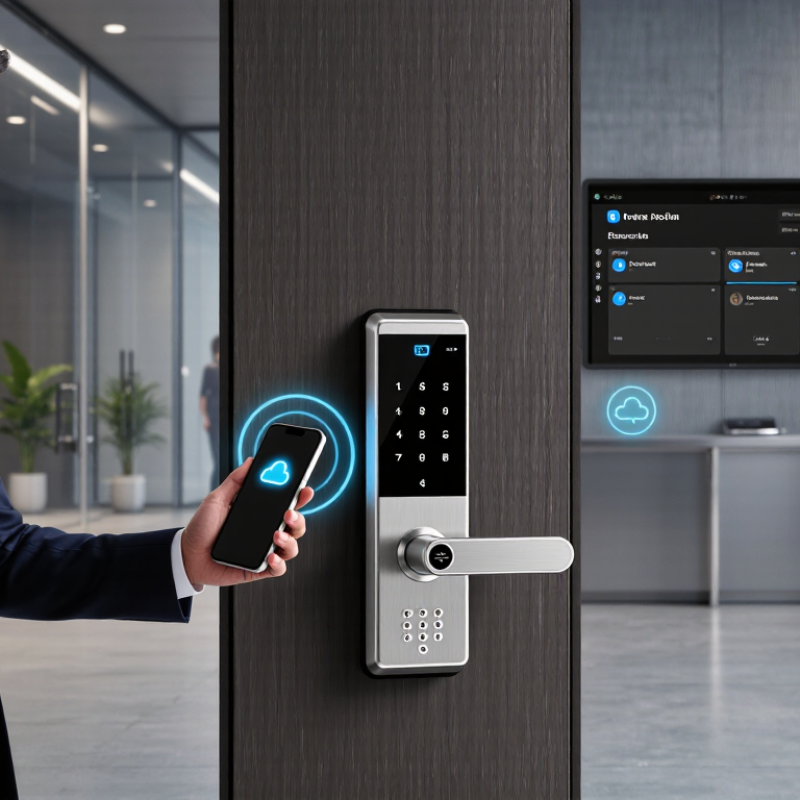
Winfort Commercial Smart Locks: Brand Overview and Selection Criteria
Commercial Smart Locks: Brand Overview and Selection Criteria
Choosing among the top ten commercial smart locks requires more than comparing prices. A credible review should examine access control, durability, software support, and installation experience. In real buildings, a door may face rain, dust, repeated use, and sudden network loss. Security comes first. MarketsandMarkets reports that the smart lock market could grow from about $2.6 billion in 2023 to $4.9 billion by 2028. That growth makes careful product screening essential.
A practical selection matrix should check ANSI/BHMA certification, IP protection, battery life, and audit-log capacity. Commercial users also need temporary credentials, role-based permissions, and rapid revocation. NIST authentication guidance supports stronger identity controls and discourages weak, reusable credentials. Look for encrypted communication and secure administrator accounts. Offline access matters. A lock that fails during a network outage creates operational risk, even when its app looks polished.
Independent testing should also assess emergency override procedures, door compatibility, and total ownership costs. UL 294 is relevant for access-control equipment, while manufacturer claims should be verified through certificates and field references. Grand View Research identifies security concerns and expanding connected-device adoption as major market drivers. Still, market growth does not prove reliability. I would test ten shortlisted models on a working door for thirty days, recording missed events, battery changes, and user complaints. My first ranking might change. That is useful evidence, not failure.
How the Top 10 Winfort Smart Locks Compare by Commercial Application
The top 10 commercial smart locks perform differently across real workplace environments. A keypad lever lock suits small offices, where staff need quick entry without carrying keys. Glass-door locks provide a cleaner fit for reception areas, but installers must check door thickness carefully. A mobile-access lock works well in coworking spaces, especially when membership changes often. It can reduce card replacement work.
For server rooms, an electronic mortise lock offers stronger resistance and controlled access logs. Warehouse managers may prefer a heavy-duty gate lock with weather protection and remote alerts. Hotels usually need RFID-compatible locks that support frequent room turnover. Clinics benefit from audit trails, auto-relock settings, and quiet operation near patient rooms. Schools need tamper-resistant hardware, scheduled permissions, and simple emergency override procedures. A cabinet or internal-door lock can protect medicines, records, or expensive equipment, but battery access deserves attention. Retail stores often choose connected deadbolts for stockrooms and staff entrances.
The tenth option is an outdoor commercial latch lock for apartment amenities, delivery areas, or shared facilities. Its value depends on drainage, corrosion resistance, and signal stability. Field checks matter more than attractive specifications. I have seen reliable locks fail because Wi-Fi coverage was weak. That is an easy mistake. Managers should compare installation time, battery replacement, access recovery, and software support alongside security features. No ranking fits every building. A lock that is excellent for a hotel may slow down warehouse traffic.、】【
| Rank | Commercial Smart Lock Configuration | Best Commercial Application | Suitable Door Type | Credential Methods | Connectivity & Management | Power & Backup | Typical Capacity | Security & Compliance Considerations | Overall Fit |
|---|---|---|---|---|---|---|---|---|---|
| 1 | Wireless Electronic Mortise Lock | Hotels, serviced apartments, executive offices and high-traffic commercial entrances | Mortise-prepared wood, metal and composite doors | Mobile credential RFID card PIN Mechanical override | Encrypted wireless connection to a central access-control platform; remote permissions and event review | Replaceable batteries; low-battery alert; optional emergency power contact | Typically supports multiple user groups and at least 1,000 stored access events, depending on controller | Look for ANSI/BHMA Grade 1 hardware, encrypted communication, audit trails and fire-door compatibility where required | Excellent |
| 2 | Networked RFID Hotel Lock | Guest rooms, conference centers and hospitality properties requiring room-level access control | Standard hotel mortise doors and compatible commercial wood doors | 13.56 MHz card Mobile credential Master key card | Online gateways or room controllers connected to property-management and access-control software | Battery-powered lockset; emergency external power connection is commonly available | Supports guest, staff, maintenance and master access schedules | Use secure credential technology, unique encryption keys, privacy controls and documented fire-rating requirements | Excellent |
| 3 | Commercial Keypad Lever Lock | Small offices, retail back rooms, clinics and shared work areas | Standard bored or cylindrical interior and exterior doors | PIN code Temporary code Mechanical key | Standalone operation or Bluetooth administration through a smartphone application | Replaceable alkaline or lithium batteries; emergency mechanical key or external power | Commonly stores dozens to hundreds of user codes and several hundred event records | Confirm commercial-duty rating, anti-tamper protection, passage-mode controls and code-management policies | Very Good |
| 4 | Cloud-Managed Wireless Cylindrical Lock | Multi-site offices, coworking facilities and distributed retail locations | ANSI cylindrical lock preparations on wood or metal doors | Mobile credential RFID card PIN | Wi-Fi, Bluetooth or gateway-based cloud management with centralized user provisioning | Battery-powered; remote battery-status monitoring; optional offline access during network interruption | Scalable user directory with centralized event history, schedules and role-based administration | Require TLS-encrypted communications, administrator multi-factor authentication and a documented offline mode | Excellent |
| 5 | Heavy-Duty Smart Exit Device | Warehouses, schools, hospitals and emergency-exit routes | Commercial single or double egress doors fitted for exit devices | RFID card Mobile credential PIN option | Wired access controller, wireless gateway or integrated alarm and monitoring system | Hardwired power with battery backup is preferred for critical openings | Designed for high user volume and frequent daily cycles | Verify panic-hardware certification, fire-exit regulations, emergency release behavior and door-position monitoring | Excellent for egress |
| 6 | Smart Glass-Door Patch Lock | Showrooms, corporate lobbies, clinics and modern retail storefronts | Frameless tempered-glass doors with compatible patch fittings | PIN Mobile credential RFID card | Bluetooth standalone use or wireless gateway integration | Battery-powered lock body; emergency external power is recommended | Suitable for controlled user groups and scheduled access rather than very large populations | Check glass thickness, tempered-glass compatibility, door alignment limits and safe-release requirements | Very Good |
| 7 | Weather-Resistant Smart Gate Lock | Apartment communities, storage facilities, campuses and outdoor service gates | Metal pedestrian gates, exterior service doors and selected narrow-stile applications | PIN RFID card Mobile credential | Wireless gateway, cellular controller or standalone keypad management | Battery or low-voltage wired power; solar-assisted power may be used for remote gates | Supports scheduled credentials, visitor access and event logging | Specify an appropriate IP rating, corrosion resistance, temperature range and fail-safe or fail-secure behavior | Very Good |
| 8 | Smart Cabinet and Locker Lock | Gyms, offices, laboratories, schools and parcel-storage areas | Metal or laminated lockers, cabinets and compact storage compartments | PIN RFID card Mobile credential | Standalone administration or Bluetooth-based management; selected systems support cloud reporting | Coin-cell or replaceable battery; emergency power or master override should be specified | Optimized for short-term users, assigned compartments and temporary credentials | Confirm latch strength, override controls, privacy protection and compatibility with the cabinet material | Good |
| 9 | Smart Retrofit Deadbolt | Small businesses, rental offices and internal rooms where existing hardware should be retained | Compatible single-cylinder deadbolt doors with standard backsets | Mobile credential PIN Existing key | Bluetooth smartphone control; gateway required for remote management | Replaceable batteries; mechanical key or external battery terminal for emergency access | Best for small and medium user groups with scheduled access requirements | Measure backset and cylinder dimensions; verify egress, door-gap and landlord or building-code requirements | Good |
| 10 | Biometric Smart Access Terminal | Restricted laboratories, data rooms, manufacturing areas and high-security staff entrances | Commercial doors connected to an electric strike, mortise lock or access-control panel | Fingerprint PIN RFID card Mobile credential | Wired Ethernet or secure controller connection; centralized access-management software | Low-voltage wired power with UPS or battery backup for critical installations | Supports enrolled users, access schedules, anti-passback options and detailed audit records | Require liveness detection, encrypted biometric templates, privacy controls, emergency egress and local data-protection compliance | Best for restricted areas |
Access Methods, Security Features, and Connectivity Options
Commercial smart locks should be judged by daily access, not glossy specifications.
A ten-lock comparison reveals clear differences in entry methods.
PIN codes suit staff teams and temporary contractors.
Fingerprint readers speed up entry at busy service doors. RFID cards work well near reception areas. Mobile apps support remote unlocking and permission changes.
Keep a physical override available. Batteries can fail unexpectedly.
Strong security depends on several layers working together.
Look for encrypted communication, tamper alarms, automatic relocking, and detailed access logs.
Audit records can show who entered, when, and through which door.
Some systems create time-limited credentials for cleaners or delivery staff. That feature reduces shared-code risks.
However, biometric readers may struggle with wet or dusty fingers. Testing them on-site matters more than reading a product sheet.
Connectivity shapes management and response time.
Bluetooth is practical for nearby control and often saves battery power.
Wi-Fi enables remote administration but may increase maintenance needs.
Zigbee or similar networks can connect many doors through a central hub.
Cellular backup may help when local internet service stops.
Every connection adds another setup point. Review encryption settings, administrator roles, software updates, and recovery procedures before installation.
No model is perfect. Even a reliable lock needs routine battery checks, staff training, and a documented fallback plan.
Installation Requirements, System Integration, and Daily Operation
Choosing among the top 10 commercial smart locks requires more than comparing price and appearance. Door condition, user volume, and emergency procedures matter just as much. An experienced installer should inspect the frame, hinges, strike alignment, door thickness, and available power before selecting a model. Start with the door survey.
Some doors need wiring. Others need battery operation or a separate power supply. Confirm the lock supports the required credential types, such as cards, mobile access, PINs, or biometric verification. Check local fire and accessibility requirements before installation. A lock that fits poorly may drain batteries, produce false alarms, or fail during heavy traffic. That detail is easy to miss.
System integration should be tested before every unit is deployed. Connect the lock with the access-control platform, staff directory, visitor system, and monitoring tools. Confirm user permissions, event logs, time zones, and offline behavior. Test network loss, low-battery warnings, and controlled emergency release. Daily operation also needs simple routines. Staff should know how to issue access, revoke credentials, review alerts, and replace batteries safely. Keep a spare mechanical override under controlled custody.
A polished demonstration can hide practical weaknesses. Field teams should record failed tests, not only successful ones. For example, a reader may work well in the office but respond slowly near a metal doorway. Regular inspections, firmware reviews, and battery checks protect reliability over time. The best commercial lock is not merely feature-rich; it is predictable during busy mornings, cleaning shifts, and unexpected outages.
Maintenance, Management Costs, and Choosing the Right Model
The top 10 commercial smart locks are not simply the most feature-rich models. They include keypad, RFID, mobile, biometric, cabinet, glass-door, mortise, panic-exit, gate, and cloud-managed designs. Each suits a different access pattern. A busy office may need mobile credentials and audit logs. A small clinic may prefer keypad entry because staff training is simpler.
Maintenance costs often begin after installation. Check battery life, emergency power access, weather sealing, and replacement-part availability. A lock with rechargeable batteries can reduce waste, but its charging routine needs clear ownership. Dust around the latch can cause repeated failures. It is a small detail. Door alignment matters too. Field inspections regularly find that poor alignment creates more service calls than software faults.
Management costs include user enrollment, credential removal, firmware updates, and administrator training. Cloud systems may charge recurring fees, while local systems can require more on-site labor. Compare the full three-year cost, not only the purchase price. Choose a model that matches traffic, door material, security policy, and staff capability. Biometric access may improve convenience, yet privacy procedures must be documented and carefully controlled. Remote unlocking can help a distributed team, but weak account management creates avoidable risk. I would also test failure scenarios before approval, including dead batteries, network loss, and fire-alarm release. No model is perfect.
Top 10 Commercial Smart Lock Configurations: Annual Maintenance and Management Cost
Estimated annual operating cost per door in USD, including routine maintenance, battery replacement, access administration, and user-support labor. Values are planning benchmarks rather than vendor prices.
Lower-cost configurations generally use replaceable batteries and cloud-based administration with limited service requirements. Higher-cost configurations typically support heavier traffic, wired power, advanced credentials, or more frequent inspections. Compare total operating cost with security requirements, door traffic, power availability, and integration needs before choosing a model.


